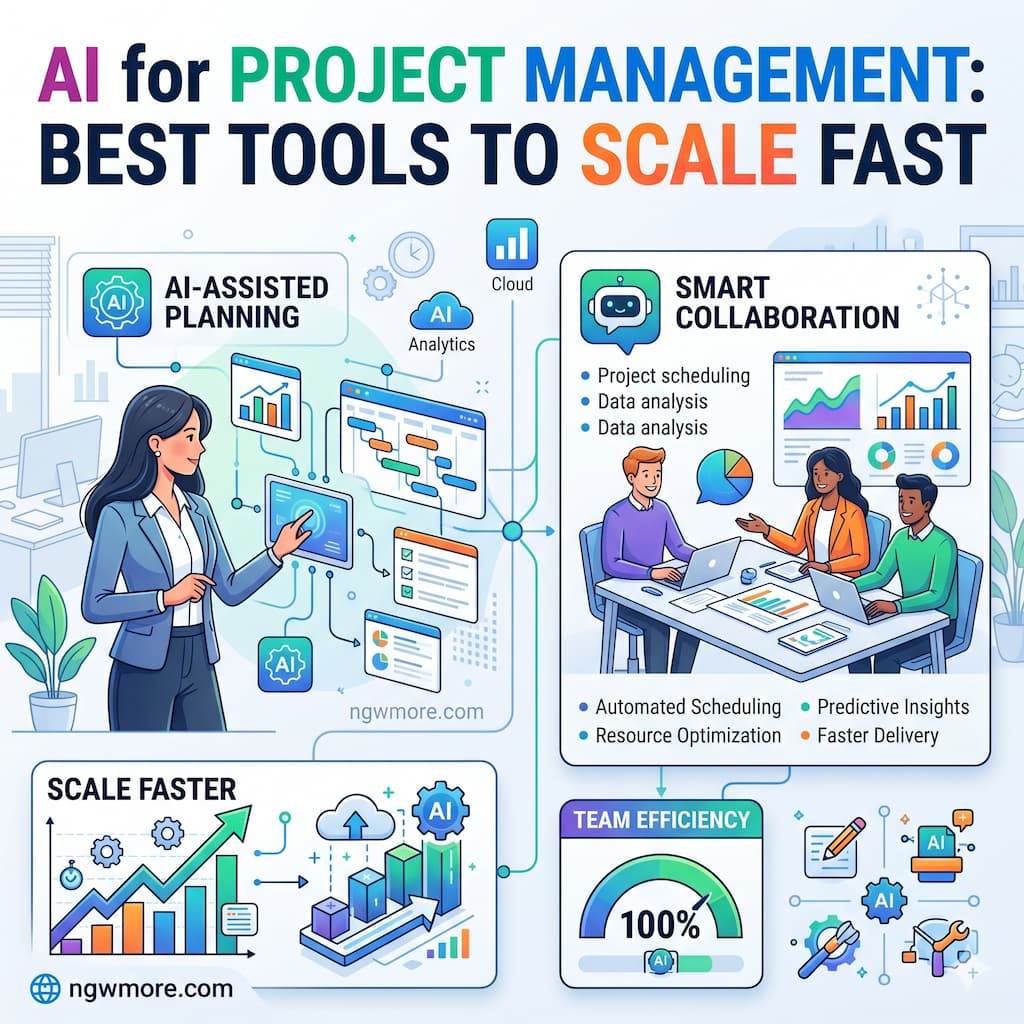
AI for Project Management: Best Tools to Scale Fast
In 2026, the definition of a “project manager” has fundamentally shifted. No longer is the role solely about manual tracking and chasing status updates. Today, the most successful teams are leveraging Artificial Intelligence as a strategic partner to handle the logistical heavy lifting, allowing human leaders to focus on high-level strategy and creative problem-solving.
For digital entrepreneurs and rapidly growing businesses, scaling isn’t just about hiring more people—it’s about increasing operational velocity. AI-powered project management (PM) tools are the engine behind this acceleration. These platforms no longer just store data; they analyze it, predict bottlenecks before they happen, and even execute tasks autonomously.
If you are looking to scale your business at light speed, here are the best AI project management tools of 2026 and how to use them effectively.
The Evolution of PM: From Tracking to Predicting
Traditional project management was reactive. You noticed a delay after it happened and then scrambled to fix it. In 2026, PM is predictive and agentic.
The “Big Three” advancements currently driving the market are:
- Predictive Analytics: AI models that forecast project completion dates and budget overruns based on real-time team velocity.
- AI Teammates (Agents): Autonomous entities that can triage tasks, write documentation, and move work across different platforms (e.g., Slack to Asana) without human intervention.
- Natural Language Workspaces: The ability to build entire project boards, automation rules, and complex workflows simply by describing them in plain English.
1. Asana: The Leader in “AI Teammates”
Asana has moved far beyond simple task lists. In 2026, their focus is on Asana Intelligence and the introduction of “AI Teammates.”
- Best For: Mid-to-large sized teams that need structured goal tracking (OKRs) and high-level portfolio management.
- Key 2026 Feature: AI Studio. This allows you to build custom AI agents with no code. You can create a “Campaign Brief Writer” teammate that automatically gathers data from your strategy docs and drafts a structured brief, or a “Compliance Specialist” that flags tasks that don’t meet regulatory standards.
- Scaling Factor: Asana’s “Smart Status” provides one-click reporting across hundreds of projects, saving managers hours of manual compilation every week.
2. ClickUp: The “Everything App” with a Brain
ClickUp’s ecosystem is built around ClickUp Brain, a centralized AI hub that connects your tasks, documents, and people.
- Best For: Agencies and startups that want a single hub for all productivity needs (Docs, Tasks, CRM, and Chat).
- Key 2026 Feature: Super Agents. These are AI-powered teammates that adapt to your specific workspace. They can perform multi-step workflows, like analyzing a client email, creating a task list from it, and assigning it to the right department based on team capacity.
- Scaling Factor: The “Connected Search” feature allows ClickUp Brain to search across your external apps (like Google Drive, GitHub, or Figma), providing instant answers to questions like, “What was the feedback on the latest design mockup?” without you ever leaving the platform.
3. Monday.com: The Automation Powerhouse
Monday.com has evolved into a “Work OS” where the AI, known as Monday Magic, handles the underlying logic of your business operations.
- Best For: Creative teams and operations managers who need highly visual, customizable workflows.
- Key 2026 Feature: Predictive Automation. Instead of setting up static “If/Then” rules, Monday’s AI suggests automations based on your team’s behavior. If it notices you always move a task to “Legal” after “Design” is finished, it will offer to build that flow for you.
- Scaling Factor: The ability to generate complex formulas and entire board structures from a single text prompt allows you to launch new departments or projects in minutes rather than days.
4. Motion: The AI for High-Velocity Schedules
Motion is different. It doesn’t just manage projects; it manages time. It uses a sophisticated AI engine to build a daily schedule for every team member.
- Best For: Small-to-mid teams and individuals who struggle with “calendar tetris” and constant reprioritization.
- Key 2026 Feature: Real-time AI Reasoning. If a new urgent task comes in or a meeting runs late, Motion instantly reshuffles the entire team’s schedule to ensure deadlines are still met, prioritizing work based on urgency and importance.
- Scaling Factor: It eliminates “decision fatigue.” Team members don’t have to wonder what to work on next; the AI provides the most efficient path forward at all times.
5. Notion: The Knowledge-First PM Tool
Notion has leveraged its strengths in documentation to create Notion Projects, powered by a world-class AI agent.
- Best For: Tech-heavy teams where documentation and “company wikis” are central to the workflow.
- Key 2026 Feature: Notion Agent. This agent lives in your pocket (via mobile) and on your desktop. It can work in the background, searching your company’s entire knowledge base to answer questions or even build databases and forms on the fly.
- Scaling Factor: Notion’s AI Note transcription can turn a recorded meeting into action items and structured project tasks in seconds, ensuring that no information is lost during the scaling process.
Comparison: Which Tool Fits Your Scaling Strategy?
| Tool | Core AI Strength | Primary Use Case | Scaling Advantage |
| Asana | Custom AI Agents | Complex Org Alignment | Automated Triage & Goals |
| ClickUp | Contextual Search | All-in-One Hub | Cross-app Knowledge Access |
| Monday | Workflow Generation | Custom Ops & Visuals | Rapid Process Deployment |
| Motion | Dynamic Scheduling | Task-Heavy Workdays | Zero Decision Fatigue |
| Notion | Knowledge Synthesis | Docs-Centric PM | Instant Meeting-to-Action |
How to Implement AI PM to Scale Your Business
To truly see the benefits of these tools, you must move beyond using them as “fancy to-do lists.” Follow this three-step framework:
- Centralize Your Data: AI is only as good as the context you give it. Choose one tool and ensure all communication, documentation, and tasks live there.
- Deploy “AI Teammates” for Triage: Don’t let your managers spend 20% of their day assigning tasks. Use tools like Asana or ClickUp to let AI route work to the right person based on current workload and skill sets.
- Trust the Predictive Analytics: When your AI tool tells you a project has a 70% chance of being delayed, don’t ignore it. Use that “What-If” analysis to reallocate resources before the deadline is missed.
Read More⚡ AI and Cybersecurity: Protecting Your Business Data
Conclusion: The Future belongs to the Augmented Manager
In 2026, scaling fast isn’t about working harder; it’s about working smarter with the right technology stack. Whether you choose the autonomous agents of Asana, the unified brain of ClickUp, or the scheduling magic of Motion, the goal remains the same: to remove the friction of management so your team can focus on the mission.
At ngwmore.com, we are committed to helping you navigate this new era of digital efficiency. By integrating AI into your project management today, you aren’t just saving time—you are building a scalable foundation for the future of your brand.
Ready to optimize? Start by auditing your current workflow. Which manual task did you do three times today? That is the first task you should hand over to your new AI project manager.