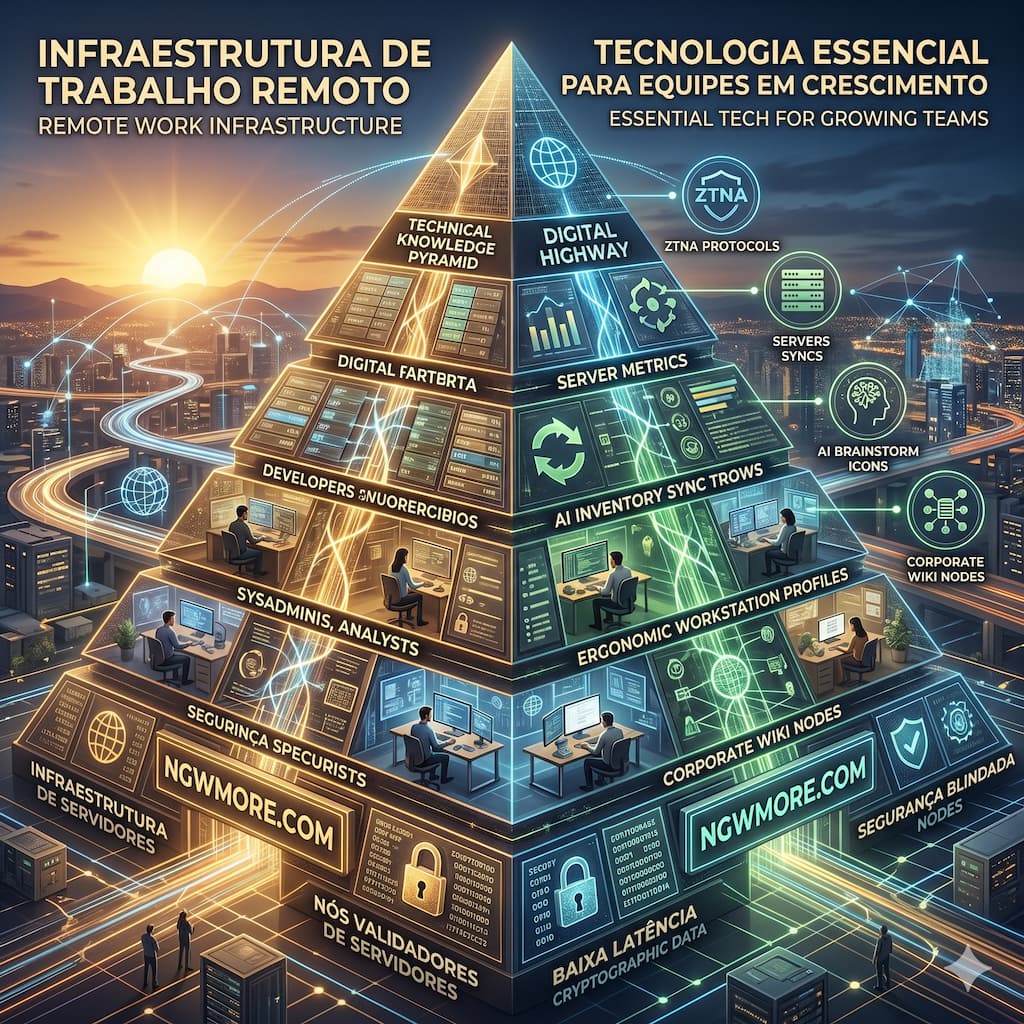
Remote Work Infrastructure: Essential Tech for Growing Teams
Transitioning from Makeshift to Enterprise-Grade
The era of treating remote work as a temporary fix or a casual perk is definitively over. For modern digital enterprises, software development agencies, and high-volume e-commerce brands, distributed work is the foundational operating system of the company. However, the technology stack that supported a scrappy startup of three people working from their living rooms in 2020 will catastrophically buckle under the weight of a scaling team in 2026.
Scaling a remote team introduces complex variables: cross-border latency, decentralized data security, asynchronous collaboration, and the absolute necessity of server uptime when your IT department is scattered across different time zones. Building a remote work infrastructure is no longer just about handing out laptops and setting up a Slack workspace; it is about architecting a highly secure, frictionless digital environment that empowers your team to operate at peak efficiency, regardless of their physical coordinates.
For digital entrepreneurs, systems administrators, and business leaders frequenting ngwmore.com, mastering this infrastructure is the difference between chaotic stagnation and exponential growth. This comprehensive guide details the essential technologies, network architectures, and hardware standards required to build an unbreakable remote work infrastructure for growing teams.
1. Network Security: Beyond the VPN to Zero Trust Architecture
The foundation of remote infrastructure is how your team accesses company data. For decades, the Virtual Private Network (VPN) was the gold standard. You created a secure perimeter, and once an employee authenticated through the VPN, they were “inside the castle” and generally had broad access to the network. In a world of sophisticated cyber threats and distributed endpoints, this model is dangerously obsolete.
The Zero Trust Network Access (ZTNA) Paradigm
Growing teams must adopt a Zero Trust Network Access (ZTNA) framework. The core philosophy of Zero Trust is simple: “Never trust, always verify.” Instead of granting broad network access, ZTNA grants access on a strict, per-application basis. When a remote developer needs to access your staging environment, ZTNA verifies their identity, checks the security posture of their specific device (e.g., ensuring their OS is patched and antivirus is active), and opens a micro-tunnel exclusively to that single application.
Granular Identity and Access Management (IAM)
This shift requires robust Identity and Access Management (IAM) systems. Solutions like Okta or Azure AD ensure that a freelance copywriter only has access to the CMS, while a senior database administrator has gated, multi-factor authenticated (MFA) access to the core servers. If a remote worker’s laptop is compromised, the “blast radius” is confined to the specific applications they had clearance for, protecting the broader company infrastructure.
2. Server Management and DevOps for Distributed IT
When your technical team is fully remote, the physical data center is irrelevant. What matters is the control plane. If an e-commerce site goes down during a major marketing push, the remote engineering team must be able to diagnose and resolve the issue in minutes, without ever touching a physical server rack.
Centralized Web-Based Control Panels
Agile remote teams rely heavily on modern, web-based server control panels (such as aaPanel or cPanel alternatives) to manage web infrastructure efficiently. These graphical interfaces allow administrators to visually monitor CPU load, manage database clusters, and deploy SSL certificates from any browser in the world. This democratizes server management, allowing authorized mid-level developers to push updates without needing highly complex command-line expertise for every task.
Rapid Remote Troubleshooting
However, a graphical interface isn’t enough when critical errors occur. Remote sysadmins require instantaneous, secure terminal access integrated into their workflow. Consider a scenario where a server experiences a sudden DNS resolution failure—perhaps throwing a cURL error 6 that prevents essential WordPress plugins from updating or communicating with external payment gateways.
A robust remote infrastructure ensures that the IT lead can instantly SSH into the environment or use the panel’s built-in terminal to audit and modify core files like resolv.conf, updating the nameservers to restore connectivity immediately. If your infrastructure requires submitting support tickets to third-party hosts for basic DNS routing issues, your remote team cannot scale effectively.
3. High-Velocity E-commerce and Social Commerce Integration
For remote teams managing digital storefronts, infrastructure dictates revenue. E-commerce is no longer just a website; it is a multi-channel ecosystem spanning organic search, paid ads, and highly dynamic social commerce platforms.
Real-Time Inventory and Headless Architecture
Imagine a scaling remote team managing a vibrant TikTok Shop or a branded storefront like SuperAchado. The marketing team might be based in one city, launching viral video campaigns, while the customer support and fulfillment teams operate from entirely different regions.
To prevent stockouts and customer service disasters, the infrastructure must be built on real-time data synchronization. Growing e-commerce brands are adopting headless commerce architectures, where the backend inventory management system communicates via ultra-fast APIs to multiple frontends simultaneously. When a product is sold out via a viral social media video, the website, the mobile app, and the customer service dashboards update in milliseconds, ensuring all remote team members have a single source of truth regarding stock levels.
Omnichannel Customer Support Platforms
Remote customer support teams cannot function efficiently if they are logging into five different platforms to answer queries. Essential tech for growing teams includes omnichannel support desks (like Zendesk or Intercom) that aggregate direct messages from social platforms, emails, and live web chats into a unified, ticket-based queue. This allows remote supervisors to monitor response times, distribute workloads evenly, and maintain brand consistency without hovering over a physical call center floor.
4. Scaling Output with Integrated AI Workflows
One of the greatest advantages of remote work is the ability to scale output through automation rather than just adding headcount. For distributed marketing and content teams, Artificial Intelligence is the ultimate infrastructural upgrade.
Automated Content Pipelines
A remote content manager cannot afford to spend hours manually drafting product descriptions or managing external freelance writers for every blog post. Instead, teams are integrating enterprise-grade AI writing assistants (like Jasper.ai) directly into their workflows via API. A strategist can input a technical brief, and the AI generates a comprehensive, 1500-word, SEO-optimized draft. The remote human editor then refines the output, effectively 10x-ing the team’s publishing velocity.
Video Generation for Social Commerce
Video is the currency of the modern web, but coordinating remote video shoots is a logistical nightmare. Forward-thinking teams utilize AI text-to-video platforms (like TikTok Symphony or HeyGen). A remote social media manager can write a promotional script, feed it into the platform, and generate a broadcast-quality video featuring a hyper-realistic AI avatar—complete with localized voiceovers—in minutes. This allows a decentralized team to maintain a massive, high-quality content output that rivals traditional production studios.
5. The Physical Endpoint: Hardware and Ergonomic Standards
While we often focus on the cloud, the remote infrastructure ultimately terminates at the physical desk of your employee. A company cannot expect enterprise-level performance from an employee working on an outdated laptop with a failing battery. Growing teams must institute strict hardware policies and stipends.
Standardized Device Provisioning (Device-as-a-Service)
To maintain security and efficiency, IT departments must move toward standardized Device-as-a-Service (DaaS) models. Employees are shipped corporate-owned laptops pre-configured with Mobile Device Management (MDM) software, security agents, and the necessary software stack. If an employee departs or a laptop is lost, the company can remotely wipe the proprietary data instantly.
Workspace Optimization and Power Management
Productivity at home requires optimal setups. Dual monitors or large ultrawide displays are essential for developers, video editors, and logistics managers who need to cross-reference multiple data streams simultaneously.
Equally important, though often overlooked, is power management for mobile testing and daily operations. When IT provisions hardware for employees testing mobile apps or managing social commerce feeds, accuracy in specifications matters immensely to prevent hardware degradation. For instance, teams should be supplied with verified OEM chargers—ensuring that a device requiring a 25W fast charge receives exactly a high-quality 25W charger, rather than a generic third-party brick falsely claiming 45W output, which can cause overheating and battery bloat over time.
Audio-Visual Clarity for Synchronous Meetings
“Zoom fatigue” is exacerbated by poor audio-visual quality. The cognitive load required to decipher terrible microphone audio or echo drains team energy. Remote teams must be equipped with dedicated, professional-grade peripherals. Relying on consumer entertainment audio setups (like an LG CJ65 sound system) for ambient background music might be great for deep-focus work, but synchronous team meetings demand high-fidelity, active noise-canceling headsets and directional microphones. Clear communication eliminates friction and misunderstandings during complex architectural planning sessions.
6. The Engine of Asynchronous Work: The Single Source of Truth
The final, and perhaps most crucial, piece of remote work infrastructure isn’t hardware or network security—it is the operational documentation that allows the team to function asynchronously.
When your lead developer is asleep and a junior engineer needs to deploy a hotfix, they cannot wait six hours for a Slack response. They need immediate access to institutional knowledge.
Corporate Wikis and Playbooks
Growing remote teams must adopt a “documentation-first” culture. Platforms like Notion, Confluence, or Slite serve as the company’s internal brain. Every server architecture diagram, every brand guideline for AI video generation, and every step-by-step procedure for handling customer refunds must be meticulously documented.
Scalable Remote Onboarding
A robust internal wiki transforms the onboarding process. Instead of a manager spending a week walking a new remote hire through the systems via video call, the new employee is given an interactive, self-guided playbook. They can read the company’s history, understand the ZTNA login protocols, review the e-commerce inventory APIs, and watch recorded training modules at their own pace. This frees up leadership to focus on strategy and growth rather than repetitive administrative tasks.
Read More⚡ Top 10 AI Tools Transforming Small Businesses in 2025
Conclusion: Architecting for Infinite Scale
Treating remote work infrastructure as a mere IT expense is a critical strategic error. In 2026, the technology stack you provide to your distributed team is the very engine of your company’s growth.
It requires a holistic, uncompromising approach. It demands the implementation of Zero Trust security to protect your assets globally. It requires centralized, agile server management panels that allow your technical team to resolve DNS and connectivity errors at a moment’s notice. It hinges on the seamless integration of AI to multiply your marketing output, and it fundamentally relies on providing your team with the correct physical hardware and exhaustive documentation to execute their jobs flawlessly.
By methodically investing in these essential technological pillars, you are not just accommodating remote work; you are building an agile, borderless enterprise capable of outmaneuvering traditional, office-bound competitors. The future of work is distributed, but the infrastructure that powers it must be highly centralized, secure, and undeniably robust.
For more insights into server architecture, digital scaling strategies, and the tools driving the modern enterprise, continue exploring the comprehensive guides available at ngwmore.com.