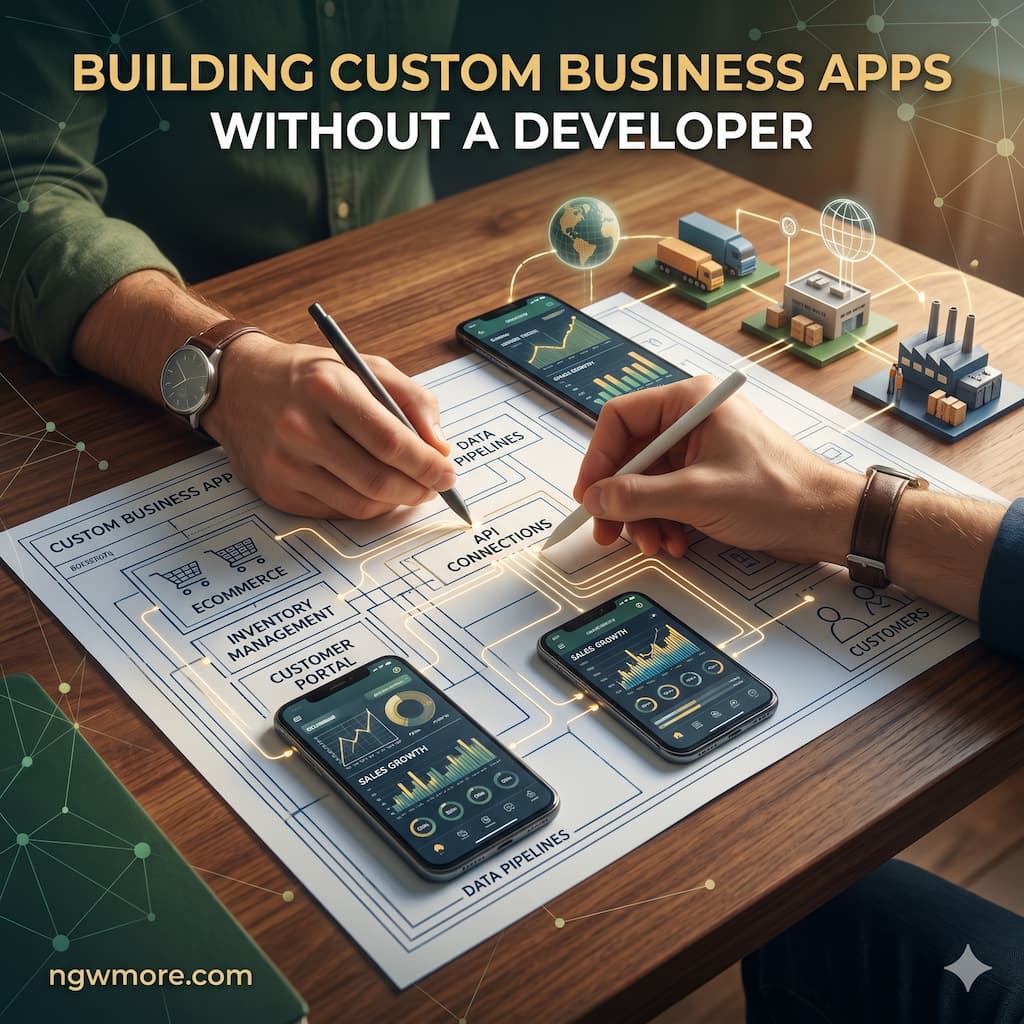
Building Custom Business Apps Without a Developer
The End of the Software Bottleneck
The digital landscape has fundamentally shifted. For years, digital entrepreneurs, content portfolio managers, and webmasters were trapped in a frustrating paradox. You had the vision to scale your operations, streamline your server management workflows, and automate your multi-site revenue tracking, but the tools to do so were locked behind a massive technical barrier. If you wanted a custom dashboard to track your programmatic ad metrics or a proprietary content management system, you had to hire a costly software engineering team, endure months of development cycles, and navigate the endless friction of debugging raw code.
If you couldn’t afford a full-stack development team, you were forced to rent generic Software as a Service (SaaS) products. You ended up stringing together five different subscriptions, paying monthly fees for bloated software that possessed hundreds of features you never used, yet somehow lacked the exact API integration you desperately needed.
Today, that era is definitively over. The rise of visual programming—commonly known as the No-Code and Low-Code movement—has completely democratized software architecture. You no longer need to know how to write JavaScript, Python, or PHP to build highly secure, scalable, and complex web applications.
This comprehensive guide, specifically crafted for the ngwmore.com community, will walk you through the architectural mindset, the modern tech stack, and the exact strategic steps required to build custom business applications without a traditional developer.
1. The Paradigm Shift: Visualizing Logic Over Syntax
To master visual development, you must first understand what it actually is. It is not a toy, and it is not a simple drag-and-drop website builder like the early versions of basic hosting platforms. Modern no-code platforms are highly advanced abstraction layers.
In the early days of computing, engineers wrote in machine code (binary). Later, they abstracted this into Assembly language, and then into text-based languages like C++ and Python. No-code is simply the latest, most powerful abstraction. Instead of typing <div> tags to render a frontend or writing complex SQL database queries by hand, you use a visual interface to drag, drop, and connect logic nodes. Behind the scenes, the platform’s compiler instantly translates your visual architecture into clean, production-ready code deployed on enterprise-grade cloud servers.
However, a critical distinction must be made: No-code does not mean no-logic. You are no longer a traditional coder, but you are absolutely a software architect. You must understand how data flows. You must know how to design a relational database, establish secure user authentication, and map out strict conditional workflows (e.g., if user role is ‘Admin’ and API response is ‘200 OK’, then trigger webhook). The barrier of syntax has been removed, but the requirement for sharp, structured business logic remains absolute.
2. Why Digital Operators Must Build Their Own Tools
For the modern digital operator managing a fleet of content websites, aggressive SEO campaigns, or complex server environments, generic software is a severe bottleneck. Here is why transitioning from “buying SaaS” to “building internal tools” is a massive competitive advantage.
Eliminating Data Silos
When you use out-of-the-box software, your data is held hostage across multiple tabs. Your advertising revenue lives in Sulvo or AdSense, your server health lives in your aaPanel dashboard, and your content pipeline lives in Trello or Asana. A custom application allows you to pull all of these disparate data sources via APIs into a single, unified command center. You establish a “single source of truth” for your entire digital ecosystem, allowing you to cross-reference data points that off-the-shelf software would never connect.
Hyper-Specific Workflows
Every digital business has unique operational quirks. If you run a high-volume portfolio of sites like fgtd.online or https://www.google.com/search?q=heaads.com, standard analytics software won’t natively understand the specific nuances of your traffic acquisition costs versus your daily vCPM targets. When you build the app yourself, the software molds to your exact operational workflow, rather than forcing your business processes to adapt to the software’s rigid parameters.
Rapid Iteration and Cost Efficiency
When the market shifts, or when an ad network updates its reporting API, your software needs to shift with it. If you employ a traditional dev team, updating a metric tracking feature might require a two-week sprint and thousands of dollars in billable hours. When you control the visual codebase, you can log in, add a new API call, map the data to a visual chart, and push the update to production in forty-five minutes.
3. The Modern No-Code Tech Stack
To build a custom business application, you need to understand the “stack.” Just as traditional developers use stacks like MERN (MongoDB, Express, React, Node), visual developers assemble their tools based on the required architecture.
Layer 1: The Database (Where Data Lives)
Your database is the foundation of your app. If the foundation is weak, the entire application will eventually collapse under scale.
- Airtable: Perfect for lightweight internal tools, content management systems, and tracking spreadsheets on steroids. It looks like a grid but functions as a highly intuitive relational database. It integrates seamlessly with almost every tool on the web.
- Supabase / Xano: For enterprise-grade scaling. If your application needs to securely process millions of rows of data, handle complex user authentication, and execute heavy server-side processing without timing out, Xano provides a powerful, visual backend built on robust PostgreSQL architecture.
Layer 2: The Middleware & Automations (The Brains)
This layer handles the logic that moves data between systems, servers, and APIs without human intervention.
- Make (formerly Integromat): This is the visual router of the internet. Make allows you to catch incoming webhooks, parse complex JSON data, and execute advanced logic branches. For example, if a server drops offline, Make can catch the error, ping your database, log the incident, and trigger an urgent alert.
- Zapier: While slightly less visually intuitive for deeply complex logic branches than Make, Zapier offers the absolute largest library of native integrations on the internet, making it incredibly fast to set up simple point-to-point data transfers.
Layer 3: The Frontend (What the User Sees)
This is the user interface—the dashboards, the login screens, the interactive charts, and the forms.
- Softr: The absolute best tool for deployment speed. Softr sits directly on top of Airtable or Google Sheets. In a single afternoon, you can generate a fully functional client portal, an internal editorial dashboard, or a gated data visualization hub.
- Bubble.io: The undisputed heavyweight champion of full-stack visual development. Bubble is “Turing-complete.” It houses its own database, complex workflow engine, and responsive frontend design editor. The learning curve is steep, but it offers limitless power. You can build complex multi-tenant SaaS products or highly detailed internal ERP systems natively within Bubble.
- FlutterFlow: If your business requires a native mobile application (for the iOS App Store and Google Play Store), FlutterFlow is the premier choice. It allows you to design visually while simultaneously writing clean, exportable Dart code in the background.
4. Real-World Applications You Can Build Today
To crystallize the power of visual programming, let’s explore practical, high-impact applications that digital portfolio operators are building right now to scale their operations.
Use Case 1: The Unified Ad Revenue Command Center
Tracking true profitability across multiple high-traffic domains is a daily logistical challenge. You can build an internal Bubble.io dashboard that connects directly to your advertising and analytics APIs.
- The Logic: The app automatically pulls daily traffic metrics from your web analytics. Simultaneously, it triggers secure API calls to your programmatic partners like Sulvo or Google AdSense.
- The Result: The application’s internal logic instantly calculates your true Revenue Per Mille (RPM) and Viewable Cost Per Mille (vCPM) across every single domain in your portfolio. Instead of logging into five different dashboards and spending hours in Excel every Friday, you have a live, unified command center that dictates exactly which domains are performing and which require immediate optimization.
Use Case 2: The AI-Automated SEO Content Pipeline
Managing freelance writers, optimizing content, and publishing consistently across a portfolio of blogs is exhausting. You can build an Airtable-based portal connected via Make to automate this entirely.
- The Logic: A writer submits a raw text draft into your custom portal. This action triggers a backend workflow that sends an API call to an advanced AI engine (like Jasper.ai or Gemini). The AI automatically runs grammar checks, injects required LSI keywords, and formats the structural HTML.
- The Result: The system cross-references the AI output against a programmatic checklist mirroring your strict Yoast SEO parameters—checking keyword density, meta description limits, and readability. If it passes, the app uses the WordPress REST API to automatically push the article to the correct domain as a formatted, drafted post. What used to take hours of manual labor now happens in seconds.
Use Case 3: High-Fidelity Server & Infrastructure Monitoring
When you run multiple high-traffic domains, standard uptime pingers simply aren’t enough. You need deep contextual alerts to prevent revenue loss.
- The Logic: You can build a custom application that receives continuous webhooks directly from your server environments (such as your aaPanel instances).
- The Result: If a specific domain experiences a critical backend failure—such as a sudden
cURL error 6due to a DNS resolution failure, or a spike in Nginx CPU usage—the app immediately catches the data. It logs the exact environment variables into your database and instantly triggers a high-priority push notification or SMS alert straight to your Samsung Galaxy S24 Ultra. This empowers you to troubleshoot technical anomalies minutes before your users even notice a slowdown.
5. Architectural Best Practices: How to Build Like a Pro
The absolute freedom of no-code is also its greatest inherent danger. When creating a database entry or a visual button takes only two seconds, novice builders tend to rush into designing the interface before planning the underlying logic. This results in “spaghetti architecture”—apps that are buggy, incredibly slow, and impossible to scale. To build successfully, you must follow strict software engineering principles.
Step 1: Write the Product Requirements Document (PRD)
Before you open a single piece of visual software, open a blank document. Define exactly what this app must do. Who is the end-user? What is the core action they need to take? Define the Minimum Viable Product (MVP). Do not succumb to feature creep. If you are building a dashboard to track server health, focus exclusively on that metric. Predictive machine-learning analytics for future traffic spikes can wait for version 2.0.
Step 2: Architect the Database Schema
This is the most critical step in app development. You must map out your data types and their exact relationships on paper first.
- Do you have a data type called
Domains? - Do you have a data type called
Daily_Revenue? - How are they logically connected? (e.g., A
Domaincan have multipleDaily_Revenuelogs, establishing a One-to-Many relationship). If you build a flawless, beautiful user interface on top of a fundamentally broken database schema, you will eventually have to tear the entire application down and start over from scratch.
Step 3: Map the Logic and API Workflows
Determine exactly how data moves. If a user clicks a “Deploy” button, what is the exact chronological sequence of events on the server?
- Validate that all required fields are filled.
- Trigger the external API call to the server.
- Wait for the JSON response payload.
- Update the database record with the new status.
- Send a success notification to the frontend user interface. Plan this sequence visually on a whiteboard or a flow-charting tool before trying to configure it in the no-code platform.
Step 4: Design the User Interface (UI)
Only after the data architecture and logic are securely locked in should you focus on aesthetics. Keep the interface clean, intuitive, and hyper-responsive. Ensure that it looks just as functional on a mobile screen as it does on an ultrawide desktop monitor. Utilize standard digital design systems, clear typography hierarchies, and logical navigation paths.
6. The Reality Check: Security, Limitations, and Vendor Lock-In
Professional digital operators must approach visual development with a healthy dose of technical realism. There are inherent limitations and strict responsibilities that come with building your own internal software.
Total Responsibility for Data Security
When you are the developer, you are the entire security team. No-code platforms are inherently secure at the infrastructure level (utilizing AWS or Google Cloud), but they will not protect you from your own bad logic. It is alarmingly easy to misconfigure database privacy rules, accidentally exposing your proprietary revenue metrics, server IPs, or API endpoints to the public internet.
You must strictly implement server-side privacy protocols. Never rely on the frontend interface to simply “hide” data. Furthermore, never expose sensitive API keys (like server root passwords, payment gateway secrets, or AI API keys) on the client side of your application. All external API calls containing sensitive authentication must be securely routed through backend server workflows.
Understanding Compute and Rate Limits
Visual builders run on shared server environments. If your custom application attempts to run a heavy loop that modifies 50,000 database rows simultaneously, or if you relentlessly ping an external ad network’s API hundreds of times per second, the platform will throttle your app, resulting in severe timeout errors. You must learn to build efficient logic—paginating your data requests and utilizing backend scheduling to spread out heavy computational loads during off-peak server hours.
The Risk of Vendor Lock-In
When you build on platforms like Softr, Make, or Bubble, you do not own the underlying source code. You are essentially renting the platform’s proprietary engine. If the company changes its pricing structure aggressively or goes out of business, your application is at risk. For the vast majority of internal business tools, operational dashboards, and MVP SaaS products, the sheer speed of deployment and massive cost savings drastically outweigh this risk. However, if you are building mission-critical, enterprise-level software that forms the entire valuation of your company, you must factor vendor lock-in into your long-term risk management strategy.
Read More⚡ Top 10 AI Tools to Automate Your Content Marketing in 2026
Conclusion: Empowering the Sovereign Digital Architect
The era of relying on expensive external development agencies or settling for rigid, frustrating SaaS products is definitively over. The ability to architect, construct, and deploy custom software is rapidly transitioning from a highly specialized technical skill into a baseline operational competency for modern digital entrepreneurs.
By mastering the visual programming stack, you take absolute control of your operational destiny. You remove the friction that slows your digital portfolio down. You unify your disparate data sources into clear, actionable intelligence. Whether you are scaling a fleet of high-traffic content sites, automating deep-level server analytics, or building a granular financial dashboard that tracks your exact ad spend efficiency, the power to build the exact tool you need is already at your fingertips.
The underlying infrastructure has been written for you. The servers are standing by. The APIs are ready to connect. Your only job now is to architect the logic and build the future of your business infrastructure.
For more high-level strategies on scaling digital portfolios, optimizing web server performance, and mastering the modern technological stack, stay connected with the expert insights available right here at ngwmore.com.